My Vote
Jury voting — HTML5 P2P webapp
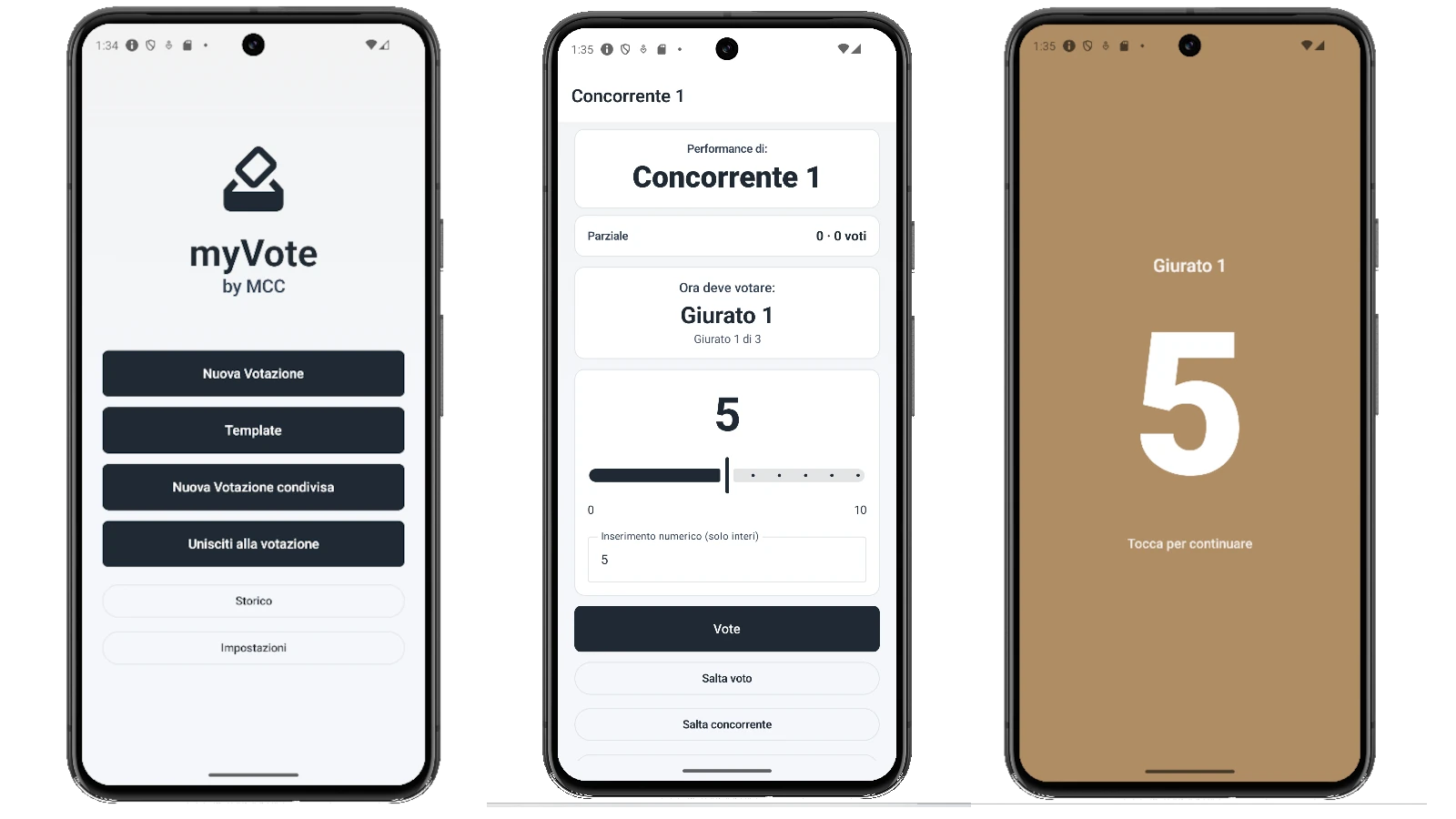
My Vote is a **Progressive Web App** written in HTML/CSS/JavaScript with no build step — a faithful port of the original Android app (now retired). It opens directly in the browser, can be installed as a PWA, and runs offline thanks to its service worker. Jury setup, contestant/performance entry, juror-by-juror voting (slider + numeric), full-screen ballot with color interpolation between "min vote" and "max vote" (default red → green), performance summary, final ranking revealed one contestant at a time from worst to best, with 1st/2nd-place tie handling. Complete session history, reusable templates (single-device and "server"), customizable range / decimals / colors / palettes.
Two modes of use. **Single-device**: a single phone passes around between jurors, no network. **Multi-device peer-to-peer**: the host generates a Peer ID + PIN; the page publishes a QR `myvote://join?host=...&pin=...&session=...`. Each juror opens the webapp on their own phone, scans the QR (or types the Peer ID and PIN), and joins as a client. Votes flow directly between browsers via **WebRTC DataChannel** (signaling via the public PeerJS, with custom STUN/TURN configurable for tricky NATs). No more passing the phone, no peeking at others' votes. The host orchestrates the flow (performance switch, ranking reveal moment) and collects votes synchronously. On iOS/Android the **Wake Lock API** keeps the host's phone awake during the session (replacing the old Android ForegroundService). No account, no tracker, no ads: session data lives in `localStorage` on your browser and never leaves the participants.
Features
- Pure HTML5/PWA webapp: no build step, no required install
- Works offline (service worker) after first load
- Installable from the browser as a system app (manifest + icons)
- Single-device mode: one phone is passed around
- Multi-device peer-to-peer mode via WebRTC DataChannel
- Public PeerJS signaling with custom STUN/TURN configurable
- `myvote://join?...` QR code for instant juror join
- Real-time vote sync between browsers, no traffic server
- Host-orchestrated ranking reveal
- Jury setup with drag-and-drop, vote range and session name
- Full-screen ballot with min→max interpolated color
- Progressive ranking (one at a time, worst → best) with tie handling
- Performance summary (total, average, juror votes)
- Full session history with detail view and deletion
- Reusable templates (single-device and "server")
- Wake Lock API: the host phone stays awake during the session
- Customizable range / decimals / colors / palette / theme
- Client-side recent sessions saved in localStorage (max 5)
Configuration
- Mode: single-device | multi-device peer-to-peer
- Vote range (min / max, default 0–10)
- Allow decimals (0.1 slider vs integers)
- Min / max vote color (linear interpolation)
- Palette: Default (slate) / Sky / Sunset / Ocean / Forest
- Theme: system / light / dark
- Advanced P2P connectivity: custom STUN/TURN (default: public Google STUN)
- Show numeric input alongside the slider
- Auto-skip when juror alias == contestant name
Technical prerequisites
- Modern browser (recent Chrome / Edge / Firefox / Safari) with WebRTC + service worker support
- HTTPS in production (required by camera and WebRTC)
- For multi-device mode: 2+ devices with internet access (at least for initial signaling)
- Camera permission: only to scan the join QR (client mode)
- No account, no mandatory install, no special system permissions