Dex Installer
Offline Windows installer for the DexSuite
 Inno Setup
  Windows Offline Embedded Runtimes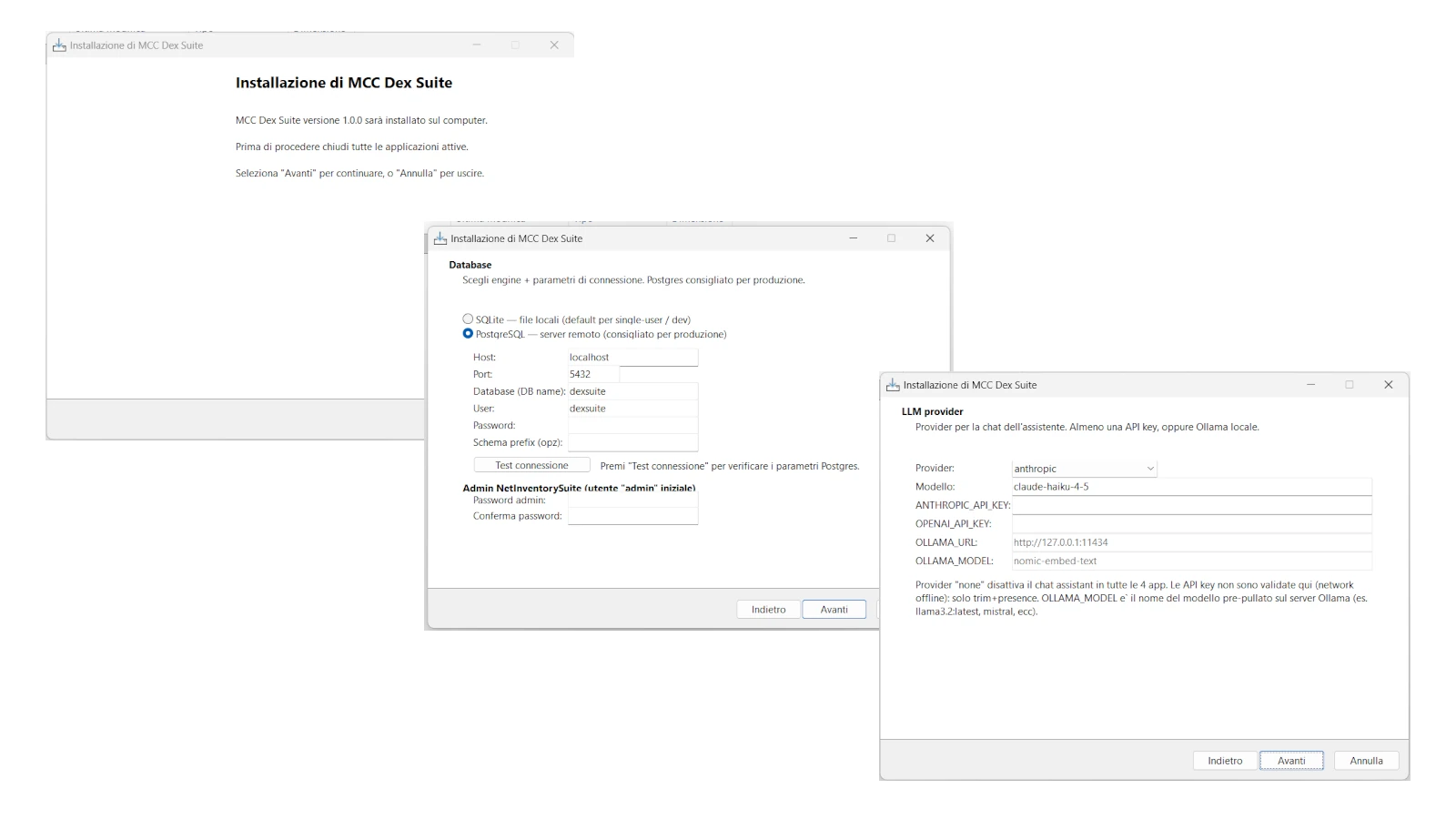
Dex Installer is the official setup tool for the DexSuite. Fully offline Inno Setup bundle: ships with embedded Node.js, embedded Python, and all npm/pip dependencies pre-downloaded, so installation works even without internet. A 5-step wizard (folders, DB engine, LLM provider, service ports, summary) collects operator choices, auto-generates the .env file for each of the 4 DexSuite apps, runs the deploy via .bat and verifies that all services started. Supports SQLite (zero-setup), PostgreSQL and MariaDB; Anthropic, OpenAI and Ollama as LLM providers. Idempotent: re-running it updates configurations without losing data.
Features
- 100% offline bundle (embedded Node + Python + all deps)
- 5-step wizard: folders → DB → LLM → ports → summary
- Automatic .env generation for the 4 DexSuite apps
- Detect ports already in use and suggest alternatives
- DB engine choice: SQLite | PostgreSQL | MariaDB
- LLM provider choice: Anthropic | OpenAI | Ollama
- DB connection and API key test before deploy
- Deploy / undeploy / re-deploy via .bat
- Structured install log
- Idempotent — re-run updates without losing data
Configuration
- Install folder (default C:\DexSuite)
- Ports: Dex Hub, Dex Editor, Dex Assistant, Net Inventory Suite
- DB credentials (host, port, user, password, database)
- LLM API keys (Anthropic / OpenAI) or Ollama endpoint
- Service mode: FOREGROUND | WINDOWS_SERVICE
- Initial admin name + password (synced at migration time)
Technical prerequisites
- Windows 10 / 11 x64
- 8 GB RAM minimum (16 GB recommended with local LLM)
- 5 GB disk space
- Admin privileges (for services and firewall)
- Internet NOT required for install