Mocard
Local multiplayer card game (LAN)
 Kotlin
  Jetpack Compose
  Material 3
  Ktor Room Coil
  Python Tkinter .mocard Export/Import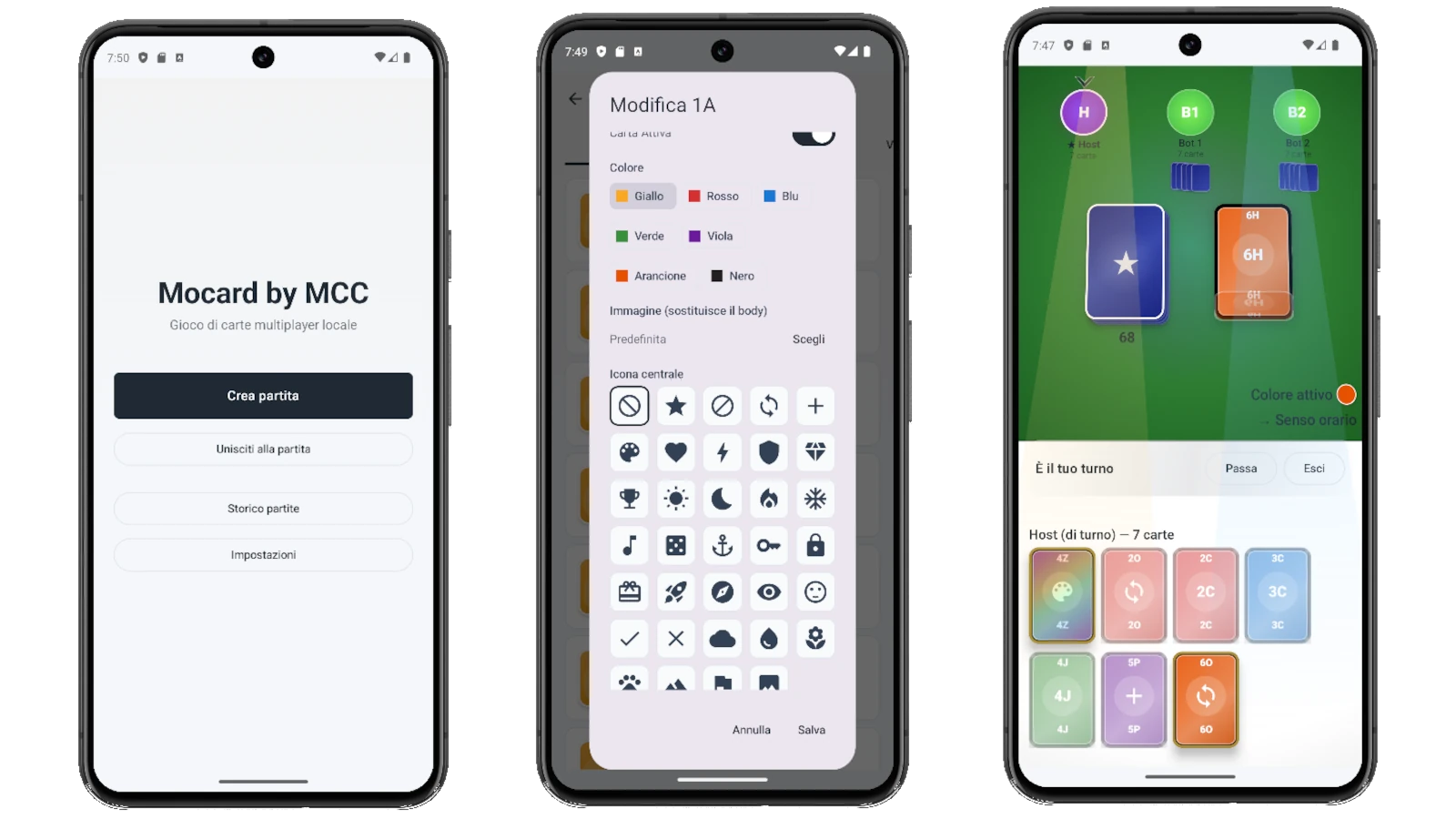
Mocard is a local multiplayer color card game, inspired by My Vote's architecture (embedded Ktor server + QR-code client). The host starts a WebSocket server on port 8766, generates a QR, and other players scan to join. All rules are configurable from settings: initial cards, +2/+4 stacking, "MONO" call, penalties, special restrictions. Even the image of EVERY card can be swapped from the gallery — gameplay is decoupled from artwork.
**Multiple Games, save and import**. The app manages multiple "Games", each one a self-contained set of rules + card catalog + custom images. Create, duplicate, export and import games freely; one is marked `default` and is the one auto-loaded by New Match unless explicitly overridden. Export produces a `.mocard` file (a zip with `manifest.json`, `game.json` and an `images/` folder, MIME `application/vnd.mocard.game+zip`, schema `mocard.game` version 1) — share it with another player via Drive/Telegram/USB, they import it on their phone and get an identical Game.
**Mocard Configurator (desktop tool)**. Python + Tkinter app, runs on Windows by double-clicking `run.bat` (first run creates a local venv and installs only Pillow), or via `python main.py` on macOS/Linux. Open a `.mocard` exported from the Android app, edit rules / deck composition / card definitions, attach custom images from your PC, and save a new `.mocard` to re-import on the phone. Handy for preparing a full card set before sitting down to play, without having to touch your phone.
Android stack: Kotlin + Jetpack Compose, Ktor, Gson, ZXing (QR), Coil, Room (history + `games` table). Tool stack: Python 3.10+, Tkinter, Pillow.
Mocard Configurator

Desktop editor (Python + Tkinter) for packaging `.mocard` games from your PC: open a zip exported by the app, edit rules / deck / cards / images, save a new `.mocard` to re-import on the phone. On Windows launch by double-clicking `run.bat`, on macOS/Linux via `python main.py`.
Features
- Multiple in-app Games: rules + card catalog + images, one marked default
- `.mocard` export: portable zip package with manifest, game.json and images/ folder
- `.mocard` import: receive a Game from another phone and load it identically
- "Mocard Configurator" desktop tool (Python + Tkinter): build a Game from your PC, save `.mocard`, re-import in app
- `mocard.game` v1 schema, MIME `application/vnd.mocard.game+zip` (documented and stable format)
- Embedded Ktor LAN server (host) — port 8766
- QR join: client scans, done
- mDNS discovery of the server on the network
- Fully configurable rules (initial cards, stacking, MONO, ...)
- Per-card image swap from gallery
- Canonical state only on host, private hands per device
- Game history (Room)
- Foreground service to keep the connection alive
Configuration
- Games manager: create / duplicate / export `.mocard` / import `.mocard` / mark as default
- Initial cards per player (1–15)
- Special-card frequency: low / med / high
- +2 on +2 / +4 on +4 / mixed stacking
- Forgotten-MONO penalty (card count)
- +4 restriction (only if you don't have the color)
- Match-winning score
- Deck composition (colors, number range, duplicates)
- Mocard Configurator: PC editor for card catalog and rules
Technical prerequisites
- Android 8.0+ (API 26)
- 2+ devices on the same Wi-Fi network
- Permissions: Wi-Fi state, Camera (QR), Photos (card images)
- ~80 MB storage
- For the desktop Configurator: Python 3.10+ (Windows via `run.bat`, or macOS/Linux via `python main.py`)